Every athlete eventually asks the same question: what do I actually need to do to be better than I was this season? The answer depends on the rides and races that matter to you, and on when you plan to start training for them. Often that isn’t today. Maybe your season is winding down, or a rest block is coming up, and the real work begins weeks or months from now.
Until now, a Forecast AI plan began the day you created it. Planning a block that starts weeks or months from now is new, and it’s what this update adds.
Already on Xert? Open My Fitness and choose the Program tab, or view your seasons on My Seasons.
Three pieces make it work, and each is useful on its own. Forecast AI plans can now start on a date in the future. Goals now accept Manual Signature Targets, so you can type in the fitness you want to reach, set it above your last season’s numbers, and get a plan built for it. And the new My Seasons page shows what your numbers were in past seasons, so you can use them, or improvements on them, as your targets, and lays your plan beside those seasons so you can see how they compare.
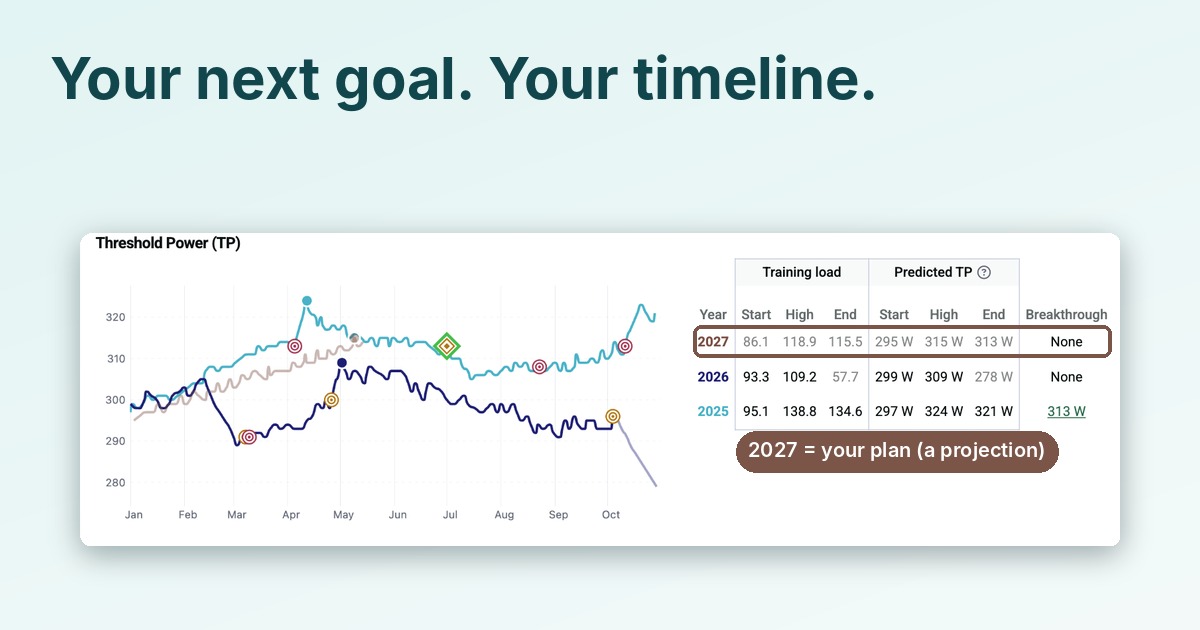
Here’s how that looks, using a plan we built for the following year: the 2027 Group Rides and Race Season.
Start When You Want
When you set up a Goal, Event or Race plan, there’s now a Start Date. Pick a date in the future (we chose Monday, January 4, 2027, with a target date of May 15), and Forecast AI builds the plan from that day to your target.
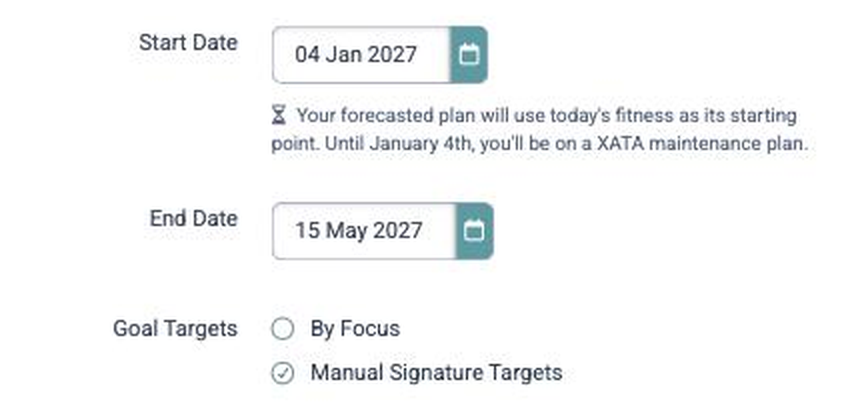
Xert is upfront about the trade-off. The plan is built from your fitness today, not from a prediction of where you’ll be on your start date, and until then you’re on a XATA maintenance plan, which gives you training to maintain your current fitness level. The form says so right under the Start Date.
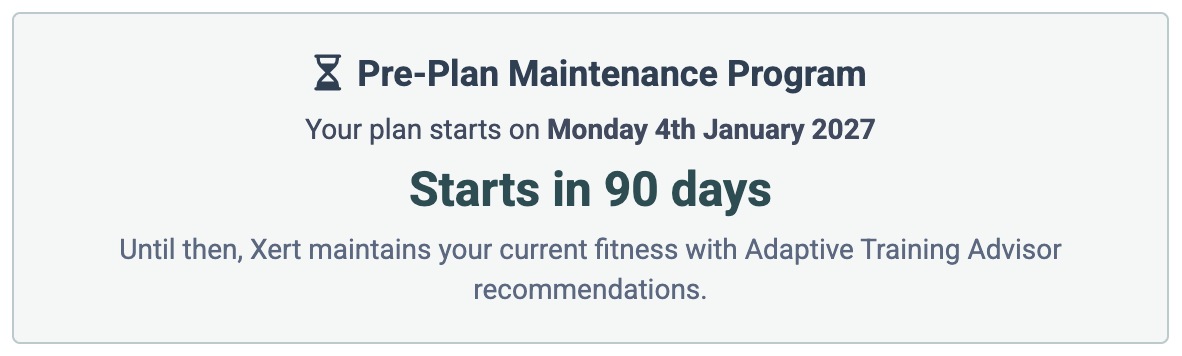
That’s the Pre-Plan Maintenance Program. Your Program page counts down to the day your plan takes over, and until then the Adaptive Training Advisor keeps recommending training that holds your fitness where it is. There’s no gap in your training, and no need to wait until January to find out what January needs to look like. Until then, follow the Pre-Plan Maintenance recommendations to hold your fitness where it is.
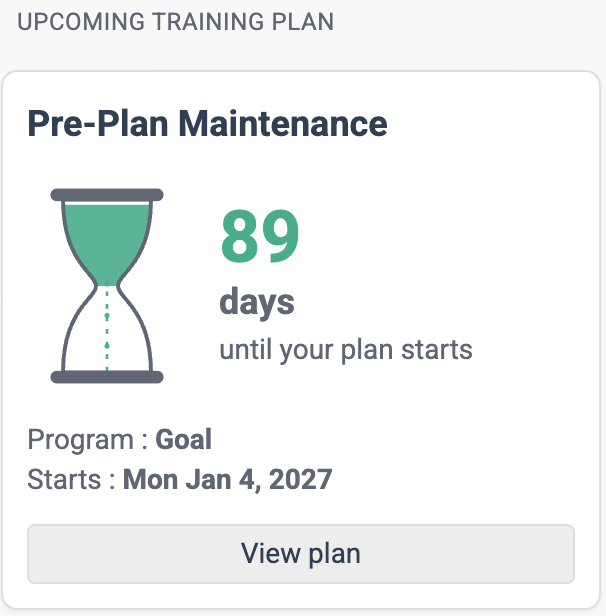
On the Today page, an hourglass counts down the days to your start date, with the program and start date beneath it. It’s a small reminder that the plan is coming, and that you can keep training in the meantime.
The Program page shows the same countdown alongside your fitness signature gauges.
Aim at a Signature, Not Just a Number
Improving season over season comes down to specific numbers: you want next season’s TP, HIE and PP to beat this season’s. With Manual Signature Targets, you skip choosing a focus and a power increase. Instead you enter the Threshold Power (TP), High Intensity Energy (HIE) and Peak Power (PP) you want to be carrying on your target date, and Forecast AI builds a plan for them. If you think in FTP, TP is the number to pick: you choose the Threshold Power you’re aiming for, rather than accepting a percentage increase.
Our athlete starts at 294 W TP, 25.9 kJ HIE and 1190 W PP. Their best predicted values this season, which My Seasons shows at a glance, were 309 W, 26.7 kJ and 1210 W. So we set the bar above those: 314 W, 28 kJ and 1215 W by May 15.
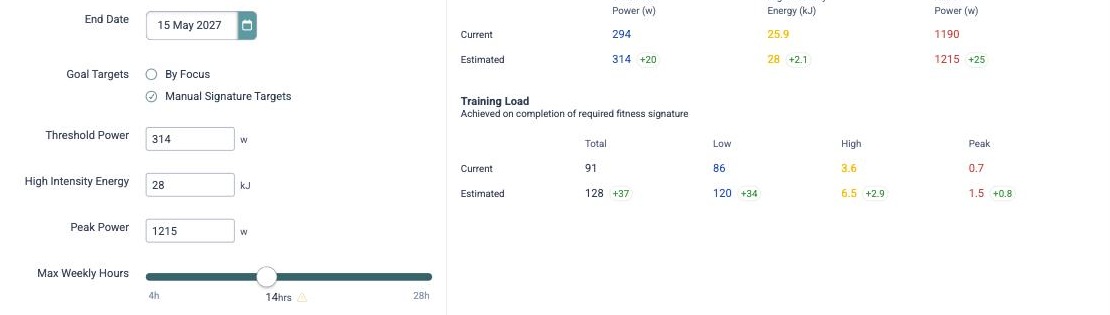
What Forecast AI Gave Us
Forecast AI projected a plan reaching 311 W TP, 27.7 kJ HIE and 1212 W PP by May 15, 2027. That’s just under what we asked for (the My Seasons chart below shows 315 W because it predicts from your training load rather than the plan’s final signature), and Forecast AI says so: it flags that the full increase couldn’t be reached and gives you the best plan it found. You can save that plan as is, or adjust your targets or weekly hours and try again.
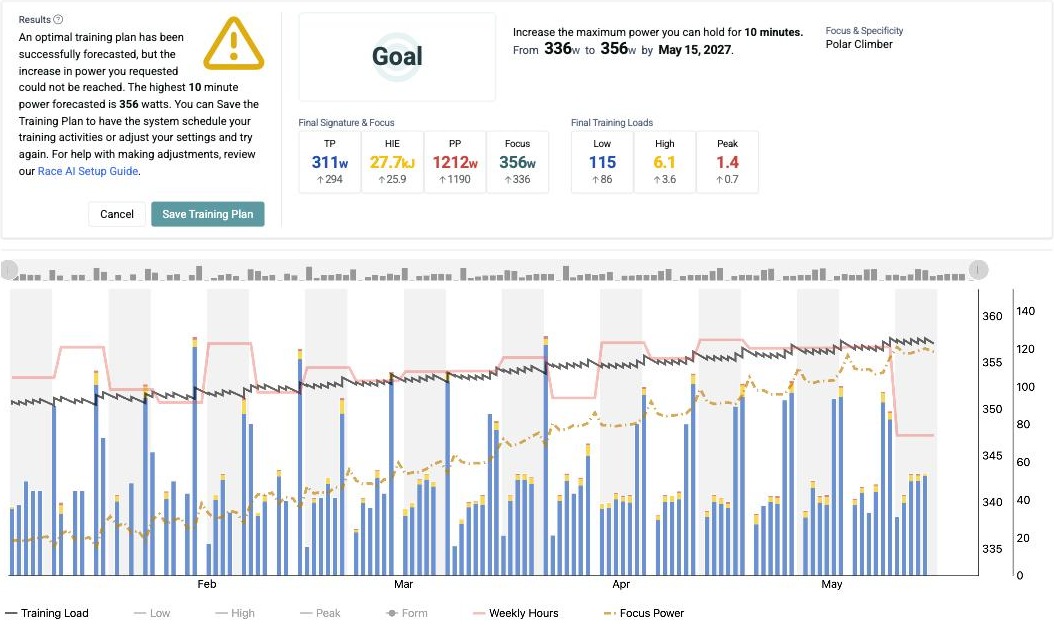
That’s the part we like best. The answer to “is my goal realistic?” doesn’t come from a guess, but from a plan built on your own data and your own available hours.
See Your 2027 Next to 2026 and 2025
My Seasons is where you check the plan against your history. It’s also where you find your targets in the first place: pick any past seasons and you can see how your TP, HIE and PP moved through each one. Once you have a Forecast AI plan that reaches into next year, a Next Year pill with a dotted line appears alongside your season selector. Switch it on, and your planned season joins the comparison.
Flip My Seasons to its Fitness Signature view, and you get a separate chart for TP, HIE and PP, each with a table of predicted start, high and end values for every season. For most athletes, TP is the one to look at first. It’s the closest thing Xert has to what everyone else calls FTP, and it’s the number people want to see move.
Each year has its own line. Solid lines are seasons you’ve ridden, and the dotted line is Next Year, your planned season. That’s a forecast, not completed rides.

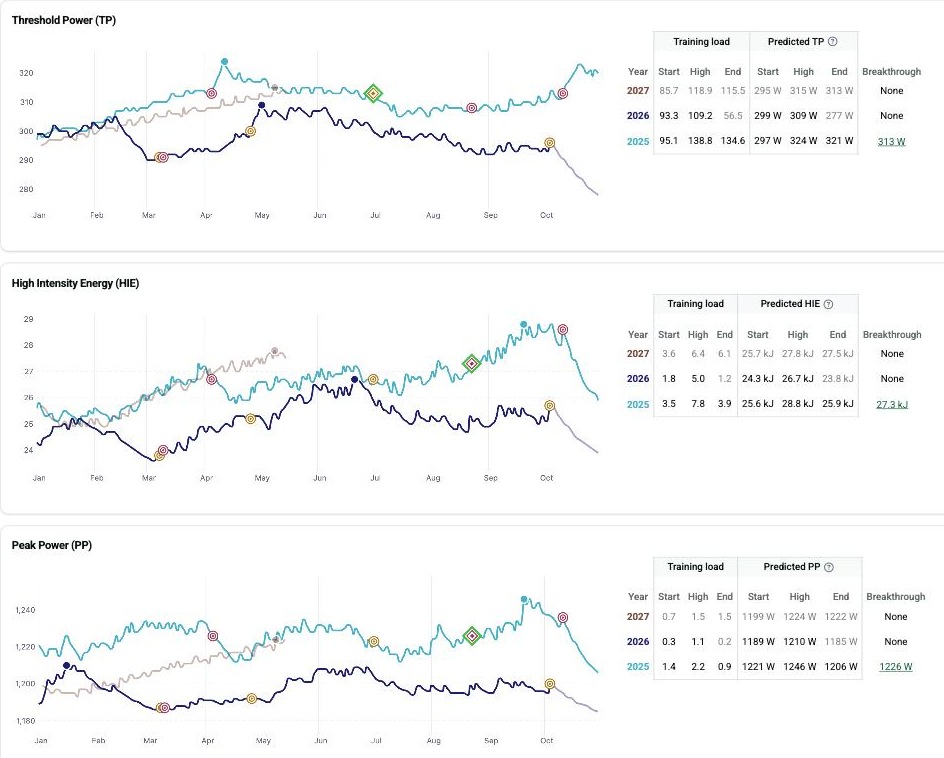
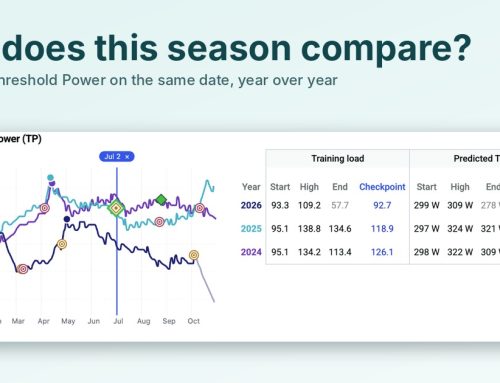
In our example, the 2027 line climbs through the spring and peaks in May at a predicted 315 W TP, against 309 W for 2026. HIE and PP follow the same pattern: 27.8 kJ against 26.7 kJ, and 1224 W against 1210 W. It’s a solid improvement on 2026. It’s still below 2025, when this athlete’s predicted TP peaked at 324 W, and that’s a useful reality check on what a single season of well-planned training can realistically do.
A note on reading the numbers: My Seasons predicts TP, HIE and PP from your training load relative to each season’s best breakthrough, so predicted values can differ a little from the signature on any individual activity or from Forecast AI’s own end-of-plan estimate. Treat My Seasons as the way to compare shape and direction across years. Until your start date the 2027 line simply holds your current loads, and it stops at your target date, because that’s where the plan ends.
Try It Yourself
- Open My Seasons and note your predicted highs for TP, HIE and PP in recent seasons.
- Open Program and choose Change Program.
- Select Goal (or Event or Race).
- Set a Start Date in the future and your target date.
- For a Goal, choose Manual Signature Targets and enter TP, HIE and PP values at or above the numbers you noted.
- Set your Max Weekly Hours to what you can really train.
- Run Forecast AI, save the plan, and go back to My Seasons to see your Next Year line.
New to Forecast AI? Our Race AI Guide and Outcome-Driven Training Plans walk through the fundamentals.
New to Xert? Start your 30-day free trial at www.xertonline.com.