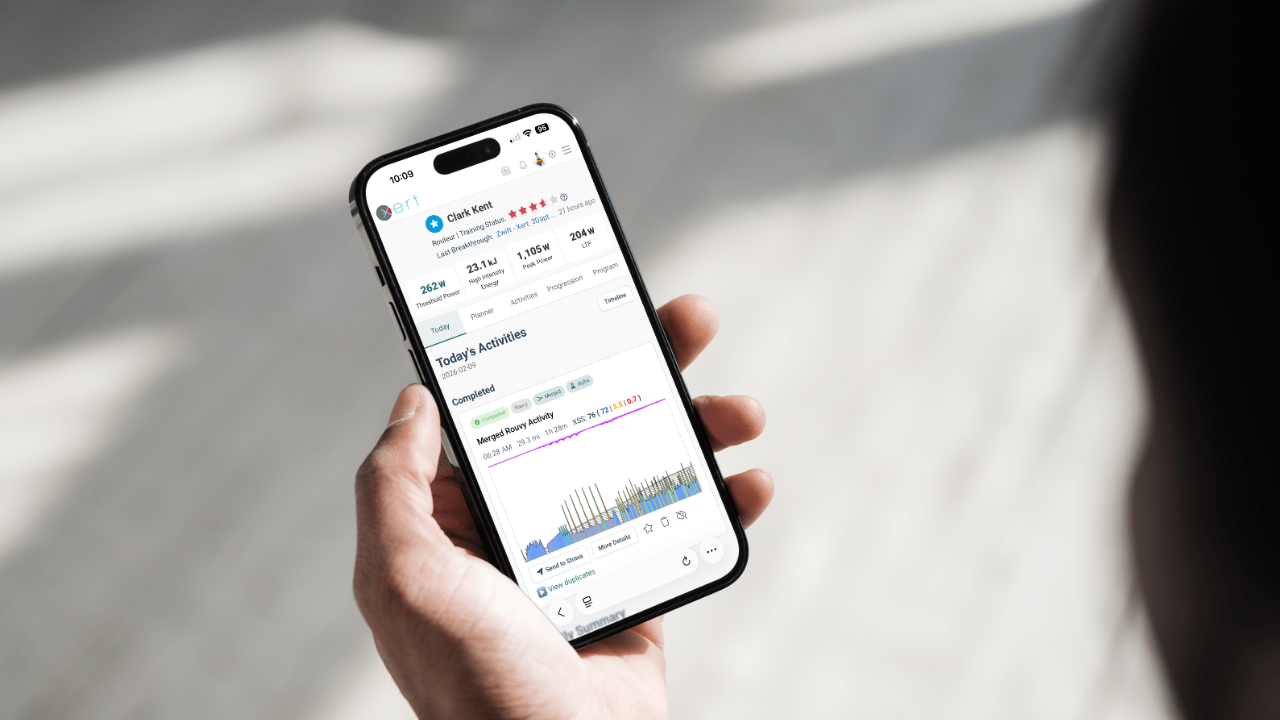
Manage all your training activity in one place
With new advanced training systems, athletes have greater flexibility in deciding how they wish to train. Gone are the days of sitting on your trainer during the off-season doing workout after workout. Athletes are now able to incorporate different types of training – from indoor rides and races to outdoor coffee rides to more sophisticated indoor workouts to using the latest in training tools like Xert Magic Buckets. All these types of training activities can now be included as part of your day-to-day training.
Xert Breakthrough Training was the first system to allow athletes to train using a variety of methods, quantifying their training strain scores in multiple dimensions giving athletes the confidence to pick and choose how they prefer to train on any given day.
Athletes are often using more than one system, using one system for a while and switching to another for variety or to save costs. From using Zwift, Rouvy and MyWhoosh, to using the Garmin, Hammerhead or Wahoo device, to TrainerRoad, icTrainer, TrainingPeaks Virtual or just watching a movie or race footage as they work out. They record on all these systems, sometimes recording on multiple devices to take advantage of features available on one system that are not available on another. Magic Buckets is a great example where athletes may be riding on Rouvy, say, but also using their Garmin with Magic Buckets to guide their training. Sometimes users record on multiple devices in order to separate their power data from one source vs. another. For example, they may use a trainer power for Zwift but prefer to use their power meter for their training data.
Many systems today also record multiple rides one after the other to ensure race files are not combined with warmups and cooldowns. For Xert users, this separation of activities can pose issues as fatigue isn’t carried over from one activity to the next. Single, contiguous activities are better for Xert’s analysis as well as better for long term record keeping purposes. These will be provide a better view of your responsiveness to training and provide greater information on how you fatigue.
Our Solution – Xert’s New Training Manager – The Xert Today Page
 Watch 2 minute intro video on YouTube
Xert’s Today page is our response to requests by our users to help them better manage all their training activity using an intuitive and easy-to-understand page with all their essential information and features they need to manage their training. Our goals in the development of your Today page were:
- The UI/UX needs to be simple to understand and use.
- Users can see what their training is for today and decide how they will do their training.
- Users can easily adjust their daily training to suit their availability, motivation or readiness to train.
- Users can dual/multi-record their activities and decide which ones to use for their training data and which to just keep for their own records.
- Users can merge one or more consecutive activities to better track fatigue and overall training strain scores.
- Users can decide which activities to share on Strava.
- The page needs to be fully-featured on mobile devices.
- The page performance has to use the latest website technology to make it reactive and highly-responsive to user actions.
With all these in mind, we developed a new page that sets a new bar for how athletes will manage their day-to-day training in terms of planning and managing their information after recording activities.
A New User Experience
Xert’s new Today page has a number of key elements on the page, all laid out in an easy-to-understand and use format. At the top is your training for today and if you planned anything specific for today, that will show at the top of the screen. This is your daily training front and center.
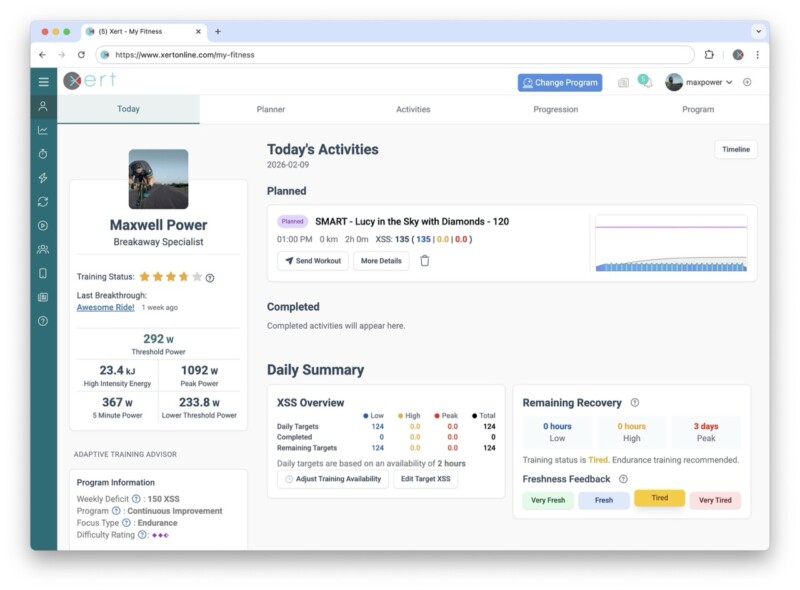
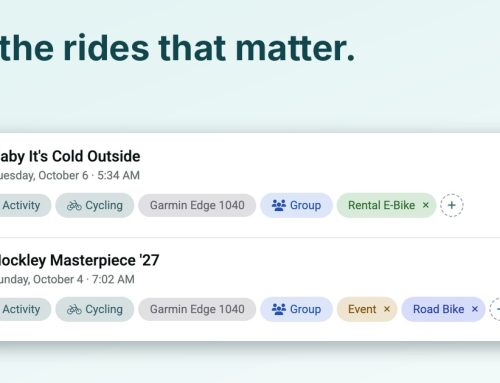
Below this is any activities you have recorded. These are shown in chronological order with duplicates indicated if you recorded the activity on multiple devices.
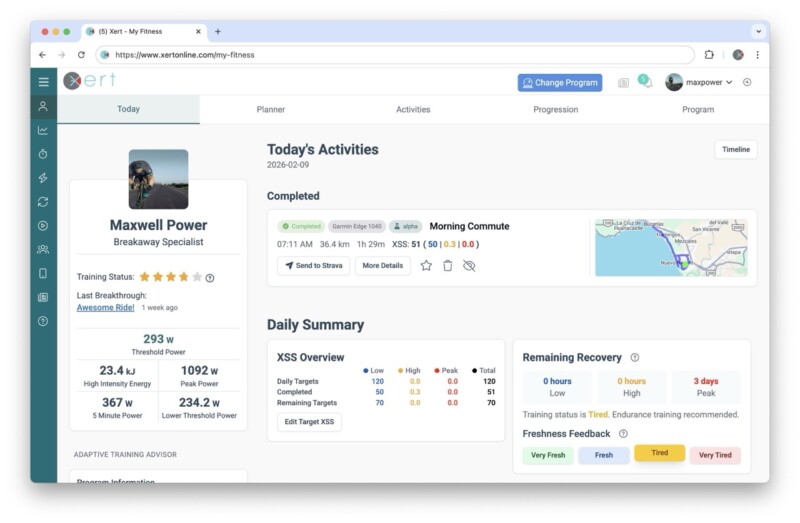
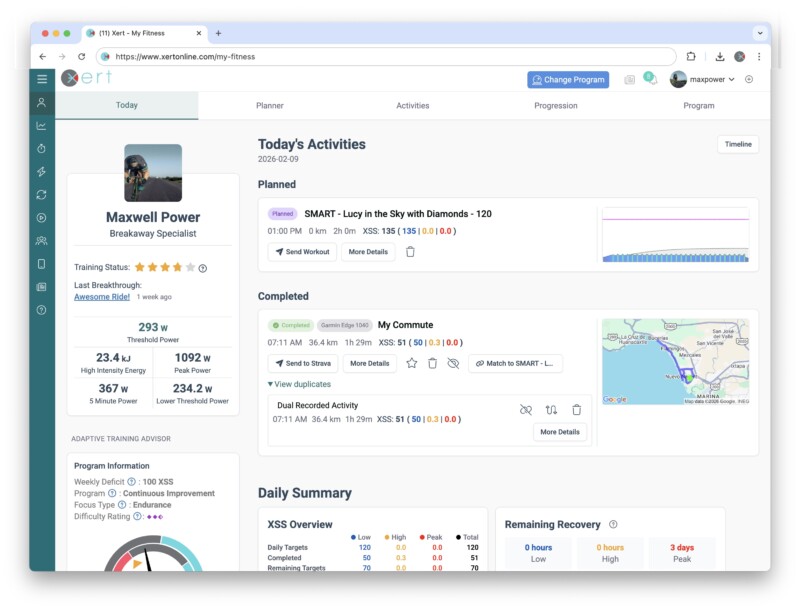
If your recordings come in separate, consecutive activity recordings, you can merge them quickly and easily. Note: Activities that came from Strava cannot be merged with other activities at this time.
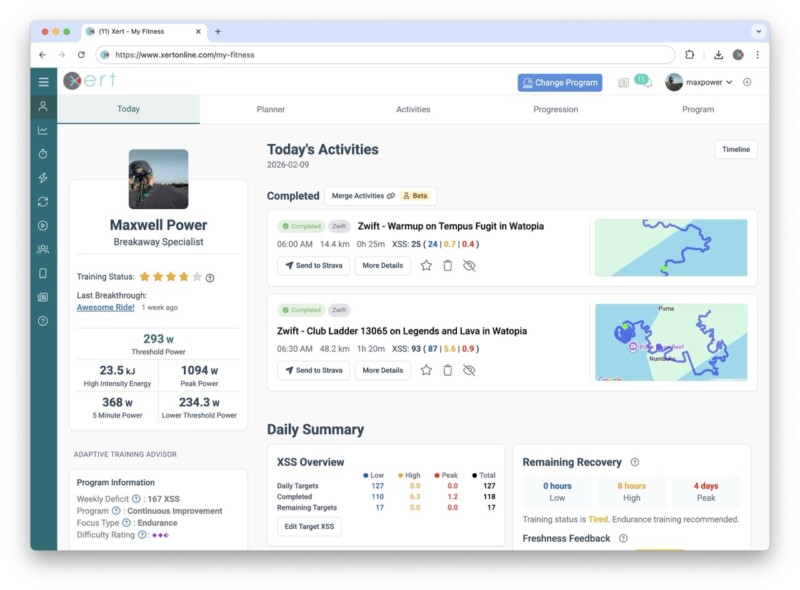
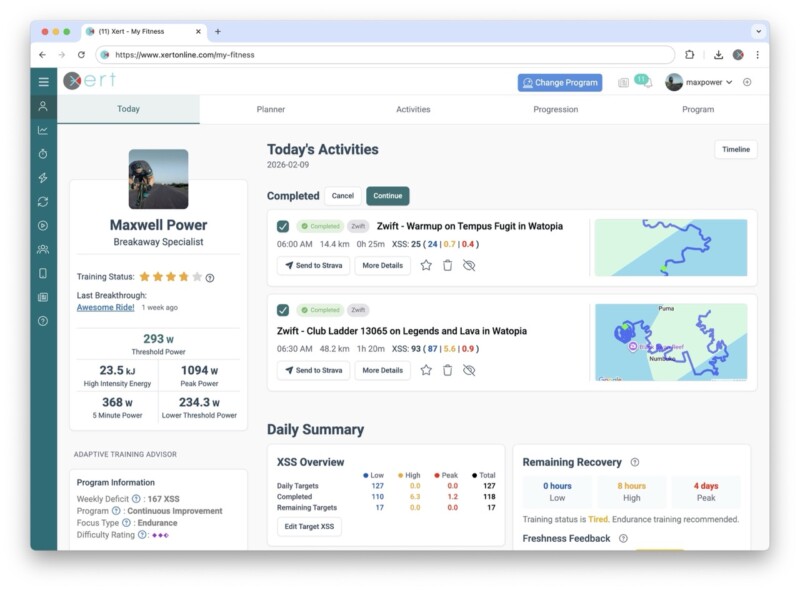
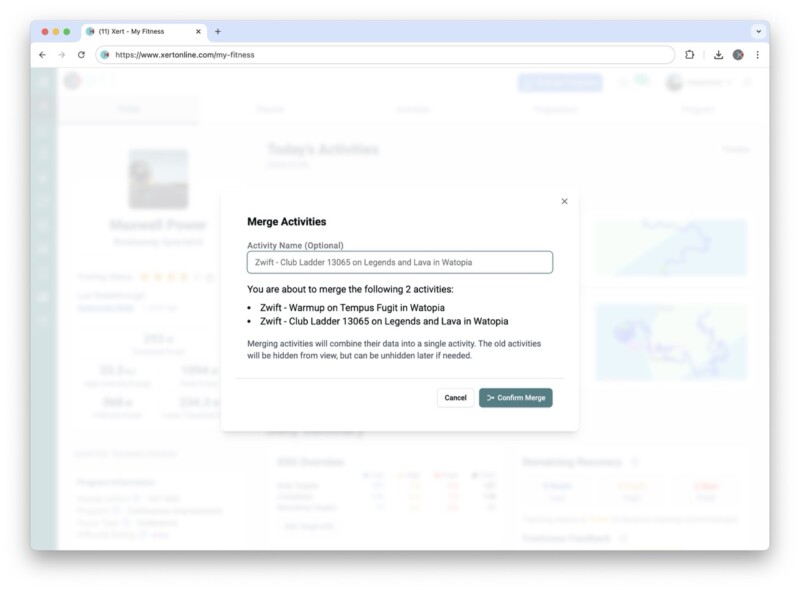
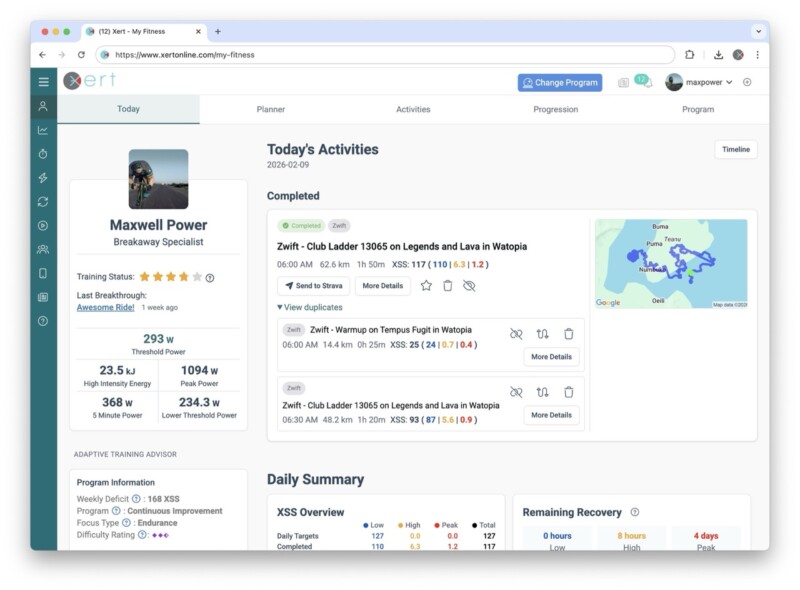
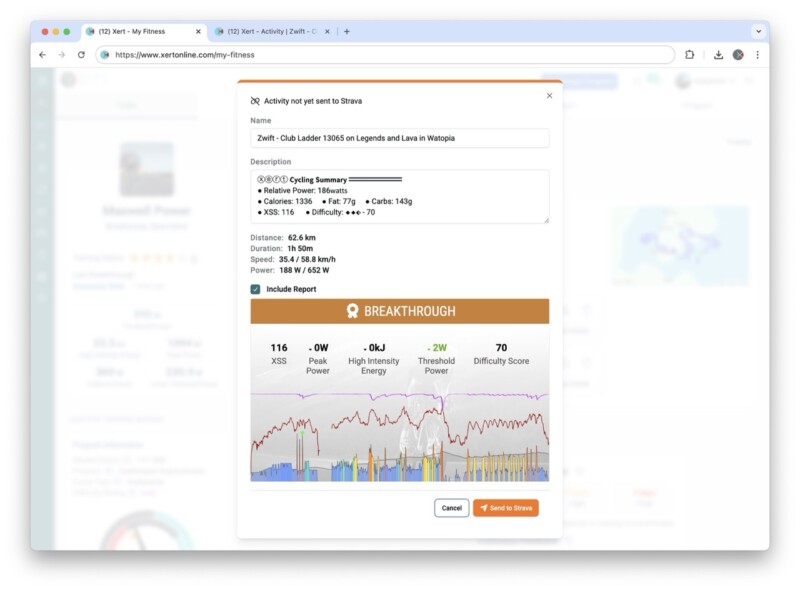
You can decide to send your activity to Strava manually and take advantage of the new features to decide which activities to send to Strava, which to use for training and which to keep hidden and not counted. Be sure to disable the Sync New Xert Activities to Strava on the Strava Sync page for greater control and management.
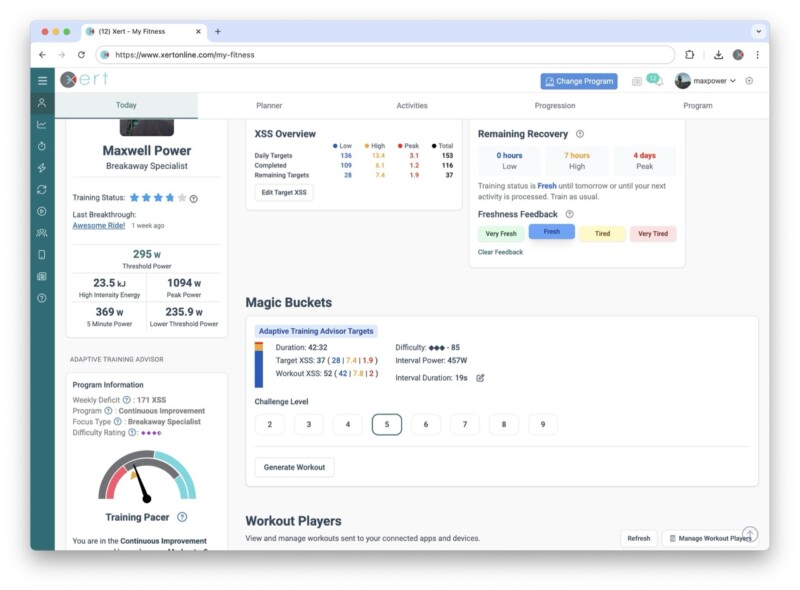
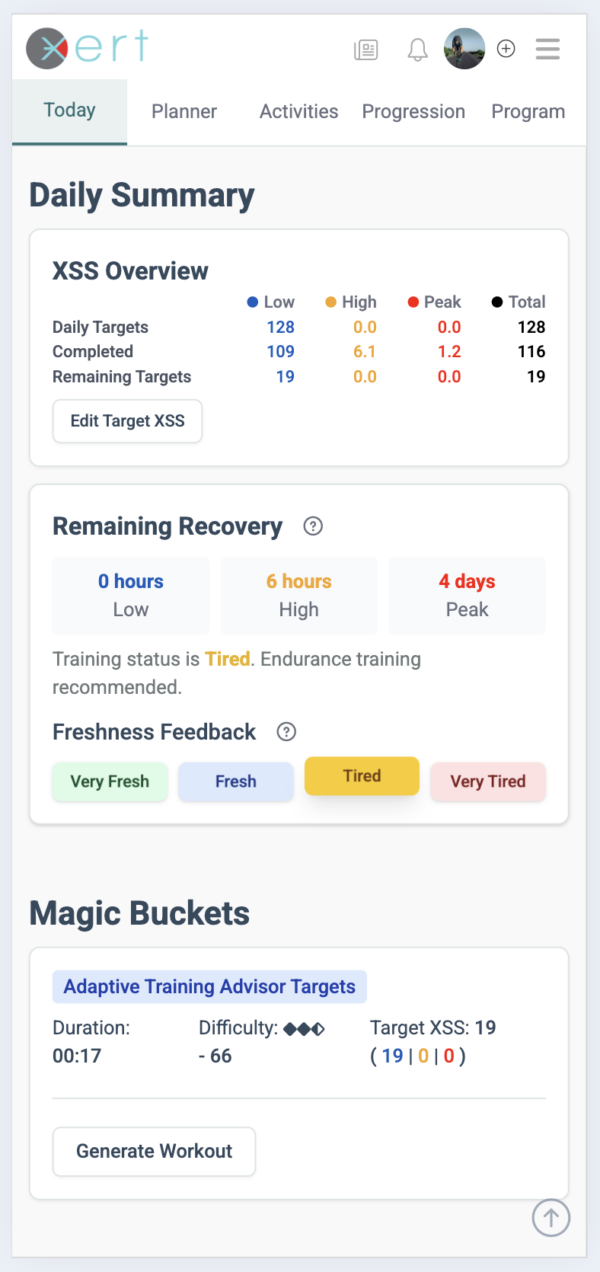
You can see which targets are going to be sent to Magic Buckets when it fetches your current targets. No more wondering where the XSS values came from when Magic Buckets runs on Xert EBC or your Garmin.
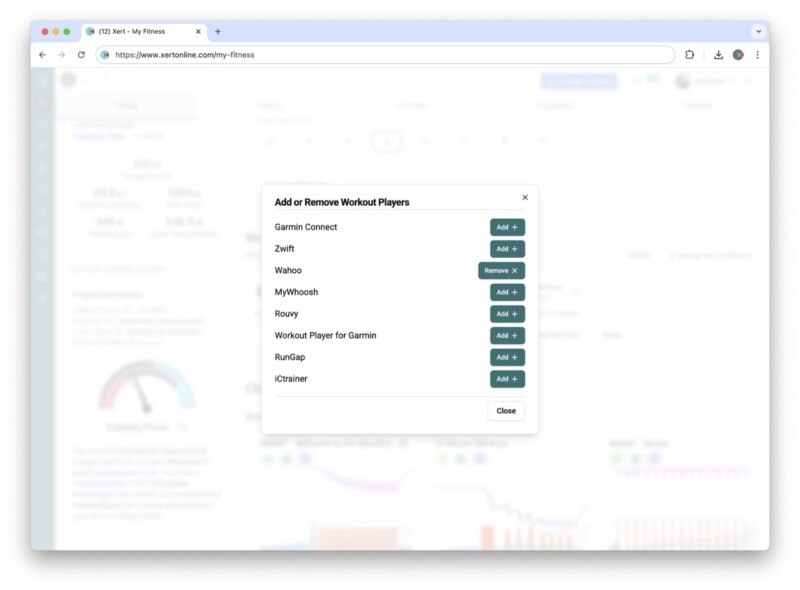
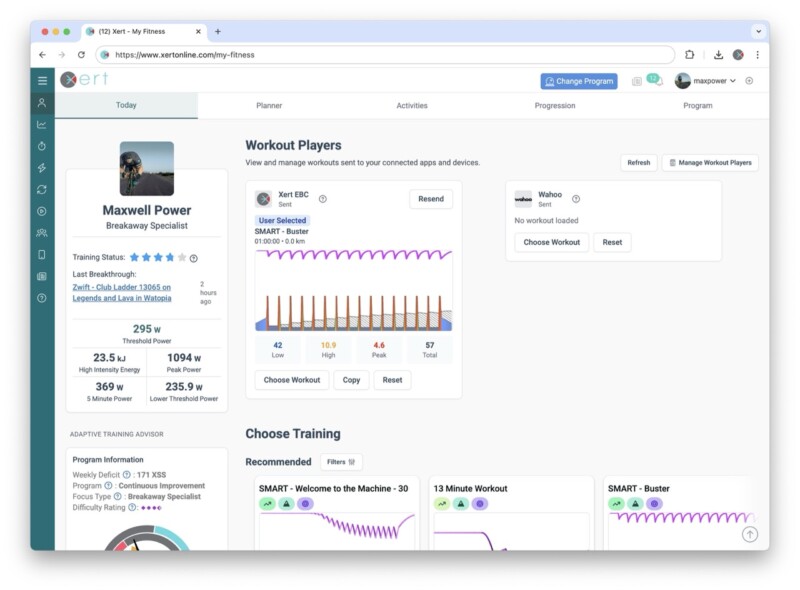
You can decide which system is going to receive a given workout. Perhaps you prefer to do one workout outdoors but would opt to do another indoors. You can manage each individually now.
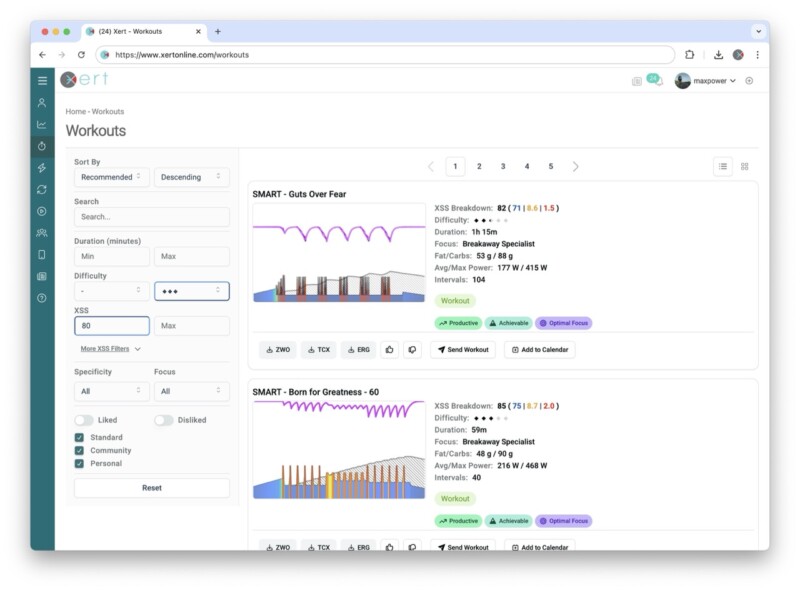
Filtering workouts could not be easier with the sidebar that allows you to filter instantly.
Not behind your desktop or laptop? No problem, just use your mobile browser and get the same functions and features.
Summary
With Xert’s new Today page functionality, you can consult it before your daily training rides to manage your day’s training, decide on what training you will do and send workouts to platforms you utilize. In addition, you can review your daily activities, manage them as part of your training, retain them for future reference and apply them towards your training.
For Xert users, we are now your go-to system for all your training data.
Always remember: If it ain’t on Xert, it doesn’t count.